
Redesigning the Petco Mexico home page to start with the pet
An improvement to an existing product: the petco.com.mx home page redesigned mobile first, based on a 12-brand benchmark and an audit of the current home page.
- Role
- UX/UI design
- Period
- October 2026
- Scope
- Mobile · 393 px · Figma
- Status
- Pre-launch
brands in the benchmark
sections in the mockup
tall at 393 px wide
carousels with peek
Empathize
Three kinds of visit, one home page
The home page is the highest-traffic page on the site and gets three kinds of visit at once: people who already know what they want, people who arrive for a promotion and people who are just browsing. Since most traffic is mobile, the design was done at 393 px first.
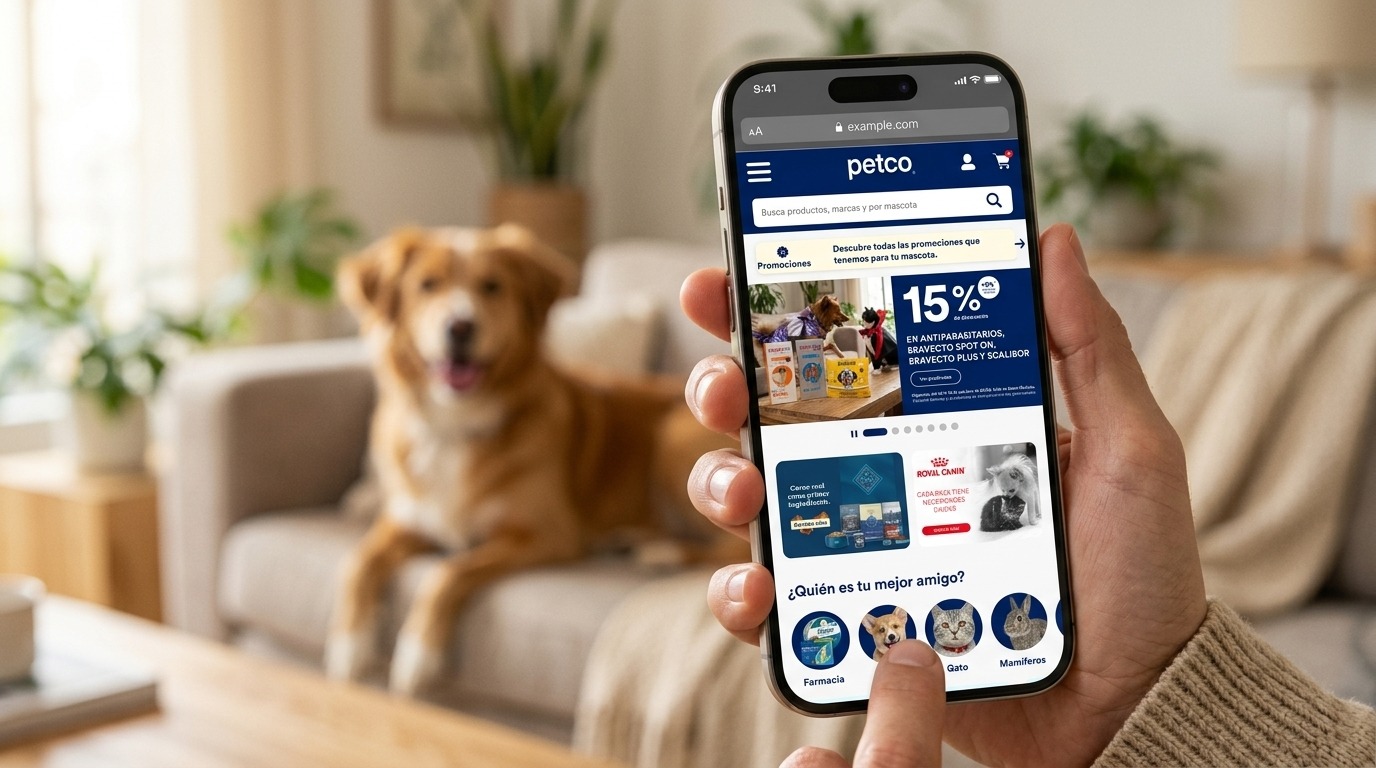
The benchmark, which included Chewy, Petco US, PetSmart, Petz, Zooplus and Pets at Home among other brands, revealed four gaps in the current home page:
There is no visible value proposition.
There is no species selector in the body of the page.
Services and the loyalty program sit at the very bottom.
The page relies on a crowded hero and is far too long.
There are five archetypes, still to be validated with analytics: quick repurchase, deal hunter, first-time pet parent, minority-species owner and services user.
“Users identify themselves first by their pet and only then by product category.”
Define
Getting quickly to what their pet needs
Pet parents browsing on their phones need to get quickly to the product, promotion or service for their pet. Today the home page makes them scroll through generic content, with no entry point by species and with services out of sight.
How might we take users to their species category in one tap?
How might we promote the App, Easy Buy and services without getting in the way of people who came to shop?
How might we refresh the home page every month without redesigning it?
How might we make it usable for everyone, including people who use a screen reader, keyboard or zoom?
The metrics that track the outcome are home page CTR, clicks on the species selector, scroll depth before the first click, service appointments that start on the home page, and conversion.
Ideate
A funnel in four stages
“Your best friend first, everything else after.”
The home page works as a four-stage funnel: identify, explore, accompany and build trust.
| Stage | Blocks |
|---|---|
| Identify | Search bar, Promotions snackbar, Hero and species selector |
| Explore | Welcome cards (Grooming, App, Easy Buy), category bento, recommendations and collections |
| Accompany | Life-stage entry, services with a direct CTA, and blog |
| Trust | Guarantees (returns, shipping, secure payment) and footer |
The species selector moves up to the first screen.
There are two ways to explore: by category, for experienced users, and by life stage, for first-time pet parents.
Carousels with the next card peeking in show a lot of content in little height.
The structure is fixed and seasonal content lives in replaceable slots.
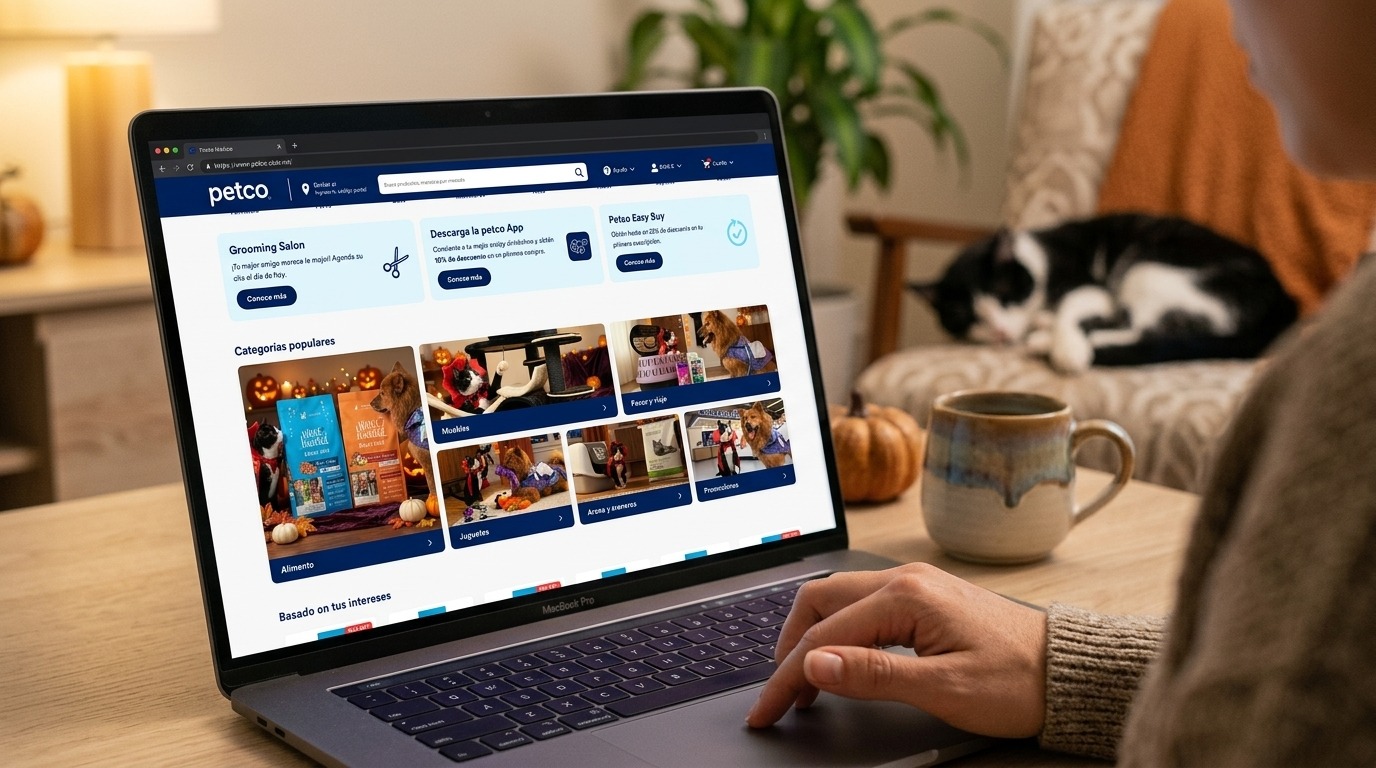
Prototype
16 sections across 5,916 px
The mockup has 16 sections across 5,916 px, with 16 px margins, a 2-column grid and 8 carousels. It reuses components from the Petco design system (Button, Service Tile, Snackbar, Rating and Footer) and adds three new ones: Promo Tile, Life-stage Tile and Category Bento.
The visual system uses navy #00205B for text and backgrounds, yellow #FFD405 for the shopping CTA, the Petco Circular CAP typeface and 48 px tall pill buttons.
Accessibility
WCAG 2.2 AA from the design up
The target is WCAG 2.2 level AA. Accessibility was treated as part of the design from the start, not as a fix at the end.
Already solved in the mockup:
| Criterion | How it was solved |
|---|---|
| 1.4.3 Text contrast | Navy on white ≈ 15:1, navy on yellow ≈ 10.7:1, and white on navy in tiles and buttons. Everything exceeds 4.5:1. |
| 2.2.2 Pause, stop, hide | The hero has a pause button. None of the other carousels autoplay. |
| 2.5.8 Target size | Mobile CTAs are 48 px, above the 24 px minimum and the 44 px recommendation. |
| 1.3.1 Info and relationships | Every section has a clear heading, so the page can be navigated by headings. |
| 1.4.1 Use of color | Discounts are stated in text (“30% OFF”) and the old price is struck through, not shown with color alone. |
The review found ten pending adjustments:
| Criterion | Finding | Fix |
|---|---|---|
| 1.4.3 Contrast | Gray_Text #7E7E7E on white gives ≈ 4.0:1 and the #B2BAC6 placeholder ≈ 2:1. Both fail. | Darken the text to #6B6B6B or darker, and the placeholder to 4.5:1 or more. |
| 1.4.3 / 1.4.11 | Blue_Petco #6EDCFA on white has very low contrast. | Use it only as a decorative accent, never for text or control borders. |
| 1.4.5 Images of text | The hero carries the headline, the validity dates and the CTA inside the artwork. | Move the CTA and dates to real text or, at minimum, write a full alt with the offer and dates. |
| 2.4.4 Link purpose | There are many repeated “Learn more” links. | Add an aria-label with context, for example “Learn more about Grooming”. |
| 2.5.7 / 2.1.1 Dragging and keyboard | The carousels rely on swiping. | Add arrows or allow Tab focus per card, and make snapping work with the keyboard. |
| 2.5.8 Target size | The hero pagination dots are small. | Give each dot a touch area of at least 24 px. |
| 2.4.7 / 2.4.11 Visible focus | The focus state is not defined yet, and the sticky header can hide the focused element. | A 2 px high-contrast focus ring and scroll-padding equal to the header height. |
| 1.1.1 Non-text content | There are species photos, a paw-print rating icon and logos. | Alt text on every image and the rating announced as “4 out of 5”. |
| 1.4.10 / 1.4.4 Reflow and text | The design is built at 393 px and the promo tile text is 13.5 px. | Test at 320 px and with text at 200%. Raise tile text to 14 px. |
| 2.3.3 Animation | The hero autoplay moves on its own. | Respect prefers-reduced-motion and do not start autoplay when it is on. |
Evaluate
Four hypotheses to measure
| Hypothesis | Measurement |
|---|---|
| The species selector gets users to their category in 2 taps or fewer | Clicks and time to first click |
| The welcome cards drive App, Easy Buy and Grooming | CTR and attributed conversions |
| Moving services up increases appointments | Clicks on “Book appointment” |
| The new home page reduces scrolling before the first click | Scroll depth |
There are four evaluation methods:
Usability testing with 5 to 8 pet parents per archetype, including at least one screen reader user (VoiceOver or TalkBack).
A/B test against the current home page with 50% of mobile traffic.
Heatmaps.
Automated audit with axe or Lighthouse, plus a manual keyboard review.
The project is in pre-launch, so the figures in this case describe its scope, not its impact, and this stage is an evaluation plan.
Implement
From handoff to A/B
Handoff
Carousel behavior (snap, peek and accessible controls), button states (hover, pressed, focus and disabled), fixed ratios per image slot, and alt and aria-label documented per component.
Governance
The hero changes weekly, promo tiles monthly and photos by season. Welcome cards, services and guarantees are fixed.
Next steps, in order:
Design the tablet and desktop breakpoints.
Apply the accessibility adjustments.
Build the clickable prototype for testing.
Publish the new components to the library so Petco Chile can reuse them.
Launch the A/B test and review KPIs at 2 and 4 weeks.
Thanks for watching!
See another project?